
A remote tool is only as safe as its worst default.
So the defaults are strict: nothing is shared before consent, media never sits on a server, and every session is attributable to a person. That covers the screen, the camera, the chat and the files.
Where the data goes, step by step
Consent, every time
A technician cannot see a screen without the customer clicking Accept on a prompt that names them. A visible panel stays on the customer's screen for the whole session with an End button that works instantly.
- Requests expire after 60 seconds without an answer
- The customer's own mouse and keyboard keep working
- A second technician can only join by invitation from the first, and the customer sees both
- The camera is a separate decision from the screen: either side can turn it off mid-session without dropping the connection
Encryption in transit
All media and control traffic uses WebRTC: DTLS for key agreement, SRTP for the screen and the camera, and DTLS-encrypted data channels for input, chat, files and clipboard. Signalling uses TLS 1.2 or 1.3 with HSTS.
- Keys exist only on the two endpoints
- Relayed traffic stays encrypted end to end
- No screen frame is ever written to a server
Infrastructure you can point to
Signalling, the technician console, the database and the TURN relay run on Conexa-operated servers in Romania. There is no dependency on a US cloud for any part of the session path.
- Rate limiting on connection attempts, per source and per target
- Strict CORS on the API; WebSocket upgrade only on the console origin
- Self-hosted deployments keep everything inside your network
Accountability
Technicians sign in with their own account. Every session is logged with who connected, to which device, when, and for how long. Administrators manage accounts from the admin panel and can export the log.
- Passwords stored with bcrypt
- Short-lived JSON Web Tokens for the console
- Device records hold only an identifier, platform and app version
Windows secure desktop, done properly
To show UAC prompts and send Ctrl+Alt+Del, Conexa Remote installs a small helper service on the customer's machine. It is optional, installs only after the customer approves the administrator prompt, and accepts commands only from the local app during an active, consented session.
Opt-in helperPrivate screen (on-demand display blanking)
Technicians can turn the remote monitor completely black with one click during sensitive operations. Available on Windows endpoints (macOS support in active development). The customer's physical screen appears turned off, while the technician retains full remote visibility and control.
- Protects master passwords and root credentials from shoulder surfing
- Keeps customer personal data confidential in compliance with GDPR
- Instant toggle on and off at any point during an active session (Windows; macOS in development)
What we deliberately do not do
- No recording of sessions on our side: not the screen, not the camera, not the chat
- No silent connection: unattended access must be turned on by the device owner, per machine
- No third-party analytics or trackers in the apps or the console
- No reuse of another vendor's code: Conexa Remote is written from scratch and released under MIT
How privacy & consent look on real screens.
No hidden access, no background surveillance. Every session is transparent, accountable, and backed by verifiable cryptographic defaults.
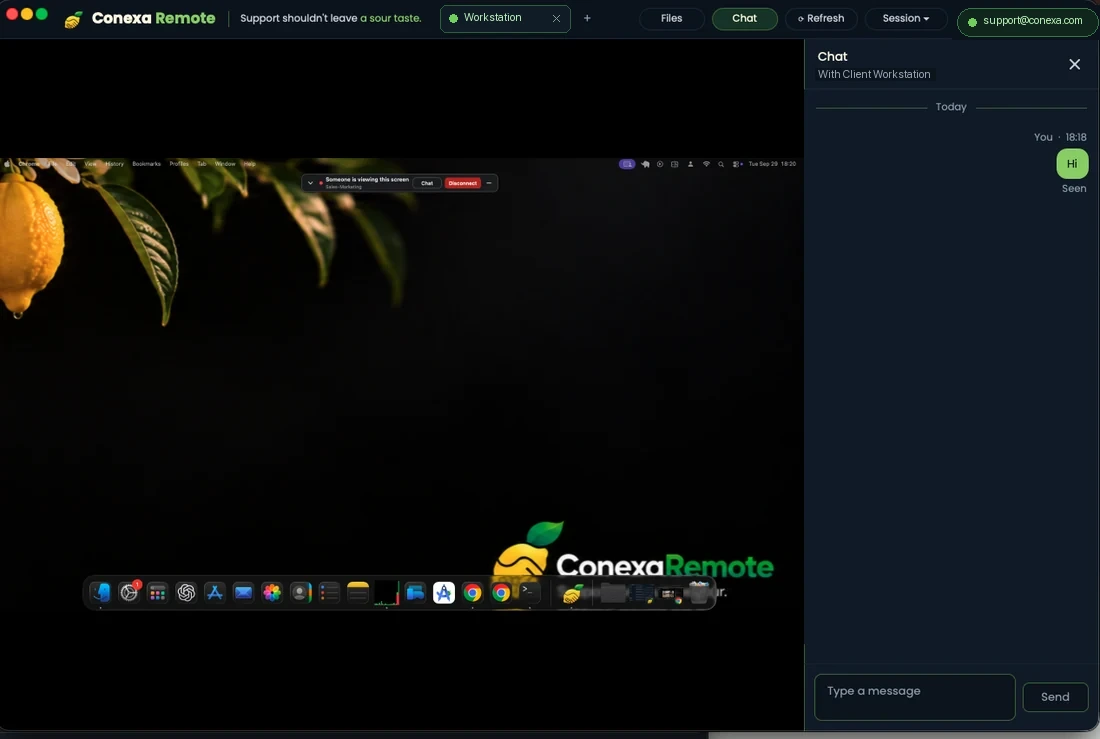
Persistent customer safety banner & emergency disconnect
While a technician is connected, a floating banner continuously shows who is viewing and provides an instant red Disconnect button that immediately terminates the session.
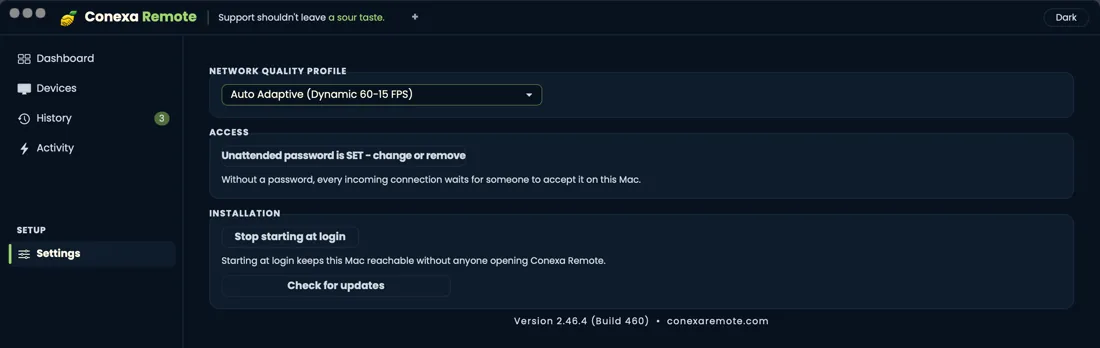
Strictly opt-in unattended access per machine
Without an explicit permanent password set by the device owner, every single connection requires physical acceptance on the local keyboard and mouse.
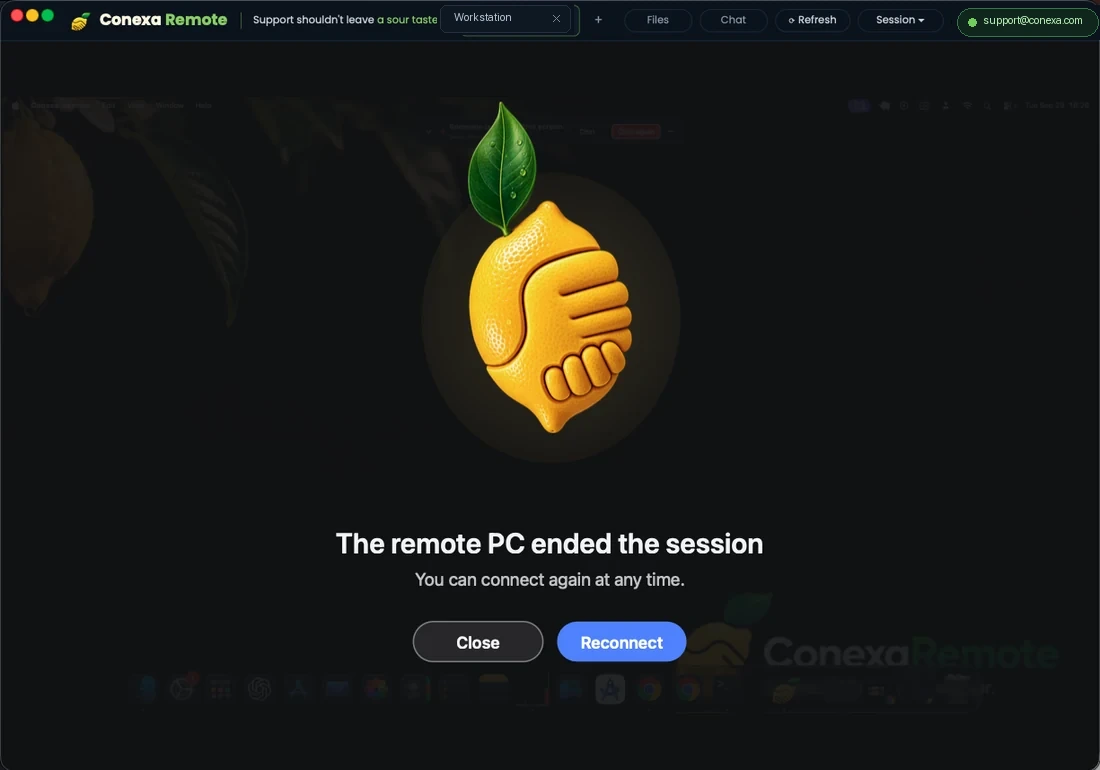
Zero lingering access upon session termination
When either party disconnects, the DTLS-SRTP peer-to-peer tunnel is cleanly torn down. No background listening port, no silent re-connection, and immediate visual feedback on both sides.
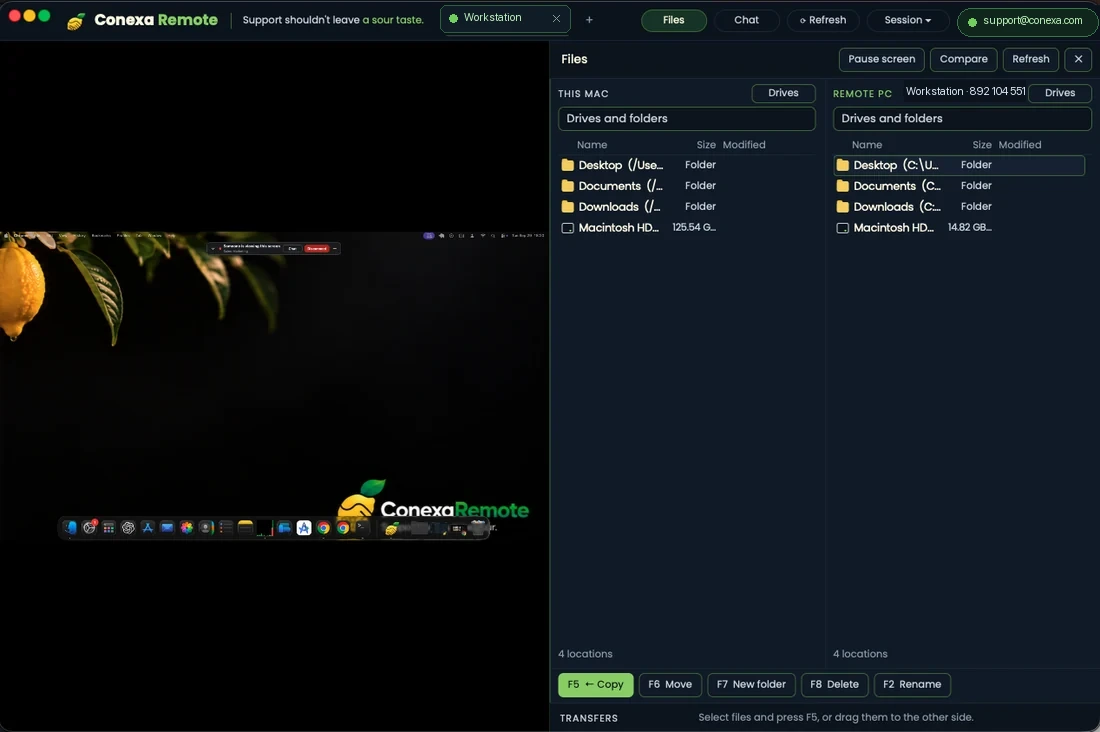
Secure dual-pane P2P file transfers
Files travel over encrypted WebRTC data channels directly between endpoints without intermediate storage. Both parties see what is sent and received in real time.
Data we hold
The list is short on purpose.
| Data | About whom | Purpose | Retention |
|---|---|---|---|
| Technician account | Your staff | Sign-in, attribution in the session log | Until the account is deleted |
| Device identifier, platform, app version | Customer computers | Resolve the 9-digit address; show version mismatches | Until the app is uninstalled and the record is purged |
| Session metadata | Technician and device | Audit: who, which device, start, end | Per plan: 90 days or 12 months; exportable |
| Contacts and groups | Your customers, as you label them | Quick connect | Stored in your console; you delete them |
| Screen content, keystrokes, files, clipboard | Customer and technician | The session itself | Never stored. Peer to peer, or relayed encrypted. |
| Camera image and audioComing soon | Whoever turns the camera on | Seeing the person you are helping | Never stored. Same encrypted path as the screen; no recording on our side. |
| Chat messages | Customer and technician | Text that must be read, not heard | Never stored on our servers. The message lives in the session window and ends with it. |
Full details in the privacy policy.
You are always in control.
Four things the customer, or their administrator, can do at any moment.
- Approve every sessionA prompt names the technician. Nothing is shared before the click, and the request expires after 60 seconds.
- End it instantlyThe panel on the customer's screen has an End button that works while the technician is typing.
- Revoke an accountAn administrator disables a technician and their live sessions end with it.
- Decide about unattendedUnattended access is off until the device owner turns it on, per machine, and it can be turned off the same way.
Reporting a vulnerability
If you find a security issue, write to security@conexa.software. We acknowledge within two business days and will not take action against good-faith research. Please do not test against customer devices you do not own.
Need this on your own servers?
The self-hosted edition puts signalling, relay and database inside your network, on your domain.